Juniper SRX Tips :: Altering Default-Deny Behavior
In our previous article, we looked at using apply-groups to alter all the security policies uniformly on an SRX device such that they would all have an implicit logging statement. And while this is fine for all existing policies, it doesn't log traffic which doesn't match any explicitly defined security policy.
The reason for this is due to the fact that in Junos, traffic which doesn't match an explicitly defined security policy matches against the default-deny policy. However, given the fact that the default-deny policy is implicitly defined, apply-group configurations are of little benefit as apply-groups can only be inherited by those elements which have been explicitly defined.
Often in these cases, administrators will simply choose to create their own deny policies with the desired options and place this deny policy as the last policy for traffic going from one zone to another. However, in instances where there are many zones, it might prove too cumbersome and time consuming to manually configure this to accommodate all zones.
Clearly it would be more beneficial to have something akin to the Global Zone in ScreenOS which can be used to match on all traffic which doesn't match against any of the explicitly defined security policies. However, at the time of this writing, Global Zone functionality doesn't exist in Junos.
The good news is that we can use the power of apply-groups once again to our benefit, this time to create an explicitly defined deny policy which will be inherited at the tail-end of all security policies defined within our configuration. Note that this will encompass both Inter-zone as well as Intra-zone traffic.
For this example, let's assume that we want to log everything that would normally hit the default-deny policy. Let's start by taking a look at our baseline configuration:
root@ce-1# show security policies
from-zone Trust to-zone Untrust {
policy allow-outbound {
match {
source-address Users-subnet;
destination-address any;
application any;
}
then {
permit;
}
}
}
from-zone Untrust to-zone Trust {
policy allow-web {
match {
source-address any;
destination-address web-server;
application junos-http;
}
then {
permit;
}
}
}
Here you can see we have a policy allowing all traffic outbound from the Users-subnet in the Trust zone towards the Untrust zone, and another policy allowing inbound HTTP traffic from the Untrust zone towards the Web Server in the Trust zone. Now, in order to change the default-deny behavior and add additional options, we will use an apply-group to inherit a new policy at the tail-end of all previously defined policies, as follows:
groups {
default-log {
security {
policies {
from-zone <*> to-zone <*> {
policy log-all-else {
match {
source-address any;
destination-address any;
application any;
}
then {
deny;
log {
session-init;
}
}
}
}
}
}
}
}
Finally, let's apply our apply-group at the [security policies] stanza within our configuration:
root@ce-1# set security policies apply-groups default-log
Now that we've completed the configuration, let's examine the results of the application of our apply-group by taking a look at our security policies, this time by displaying the inherited configuration:
root@ce-1# show security policies | display inheritance
apply-groups default-log
from-zone Trust to-zone Untrust {
policy allow-outbound {
match {
source-address Users-subnet;
destination-address any;
application any;
}
then {
permit;
}
}
##
## 'log-all-else' was inherited from group 'default-log'
##
policy log-all-else {
##
## 'match' was inherited from group 'default-log'
##
match {
##
## 'any' was inherited from group 'default-log'
##
source-address any;
##
## 'any' was inherited from group 'default-log'
##
destination-address any;
##
## 'any' was inherited from group 'default-log'
## Warning: application or application-set must be defined
##
application any;
}
##
## 'then' was inherited from group 'default-log'
##
then {
##
## 'deny' was inherited from group 'default-log'
##
deny;
##
## 'log' was inherited from group 'default-log'
##
log {
##
## 'session-init' was inherited from group 'default-log'
##
session-init;
}
}
}
}
from-zone Untrust to-zone Trust {
policy allow-web {
match {
source-address any;
destination-address web-server;
application junos-http;
}
then {
permit;
}
}
##
## 'log-all-else' was inherited from group 'default-log'
##
policy log-all-else {
##
## 'match' was inherited from group 'default-log'
##
match {
##
## 'any' was inherited from group 'default-log'
##
source-address any;
##
## 'any' was inherited from group 'default-log'
##
destination-address any;
##
## 'any' was inherited from group 'default-log'
## Warning: application or application-set must be defined
##
application any;
}
##
## 'then' was inherited from group 'default-log'
##
then {
##
## 'deny' was inherited from group 'default-log'
##
deny;
##
## 'log' was inherited from group 'default-log'
##
log {
##
## 'session-init' was inherited from group 'default-log'
##
session-init;
}
}
}
}
Once again, with just a couple of lines of code we can streamline the configuration to a large extent, in this case creating an explicitly defined deny policy which logs all traffic that would otherwise be silently discarded. And best of all, we can do so without having to resort to manual configuration of each and every one.
In small installations this technique might be of little benefit, but in larger implementations consisting of dozens of zones with a combination of Interzone and Intrazone and bidirectional security policies, the benefit of such an approach cannot be understated. Not only will this ease configuration burden, but it will ensure that all traffic which doesn't match any of the existing security policies will be handled in a consistent manner. Of course, as with previous examples, if there are certain policies that we don't want to inherit this new default-deny, we can simply utilize the apply-group-except statement for each of those respective policies.
In our next article we will examine changing the built-in Junos application defaults so that we can customize timers and other parameters.
Users-subnet
Juniper SRX Tips :: Uniform Security Policy Modification
Often there are instances where we want to affect all security policies configured on an SRX device. For example, let's say that we have thousands of policies configured on our firewall, and we want to enable logging for every single policy. Obviously this would take some time if we were to do this manually on each and every individual policy, so an easier way is desired.
In ScreenOS we have the concept of a Global zone which acts as a container encompassing all zones, but to date, Junos does not support a similar functionality on the SRX. Furthermore, the Global zone doesn't affect existing policies but rather is way to apply a consistent policy to all Inter-zone and Intra-zone traffic that doesn't match any of the existing policies.
However, despite all of this, there is in fact a methodology we can use to uniformly modify all of the existing security policies on our box, in a manner that is actually much more powerful than what is accomplished in ScreenOS with the Global zone.
Let's take a look. First, let's say we have some policies that we would like to enable logging on:
root@ce-1# show security policies
from-zone Trust to-zone Untrust {
policy allow-outbound {
match {
source-address any;
destination-address any;
application any;
}
then {
permit;
}
}
}
from-zone Untrust to-zone Trust {
policy allow-web {
match {
source-address any;
destination-address web-server;
application junos-http;
}
then {
permit;
}
}
}
Here you can see we have a policy allowing all traffic outbound from Trust to Untrust, and another policy allowing inbound HTTP traffic from the Untrust zone towards the Web Server in the Trust zone. Now, let's enable logging for all of our policies by using an apply-group and matching on all policies from any zone to any other zone. Note that this will encompass both Inter-zone as well as Intra-zone traffic:
groups {
global-logging {
security {
policies {
from-zone <*> to-zone <*> {
policy <*> {
then {
log {
session-init;
}
}
}
}
}
}
}
}
Finally, let's apply our apply-group at the [security policies] stanza within our configuration:
root@ce-1# set security policies apply-groups global-logging
Now that we've completed the configuration, let's examine the results of the application of our apply-group by taking a look at our security policies, this time by displaying the inherited configuration:
root@ce-1# show security policies | display inheritance apply-groups global-logging from-zone Trust to-zone Untrust { policy allow-outbound { match { source-address any; destination-address any; application any; } then { permit; ## ## 'log' was inherited from group 'global-logging' ## log { ## ## 'session-init' was inherited from group 'global-logging' ## session-init; } } } } from-zone Untrust to-zone Trust { policy allow-web { match { source-address any; destination-address web-server; application junos-http; } then { permit; ## ## 'log' was inherited from group 'global-logging' ## log { ## ## 'session-init' was inherited from group 'global-logging' ## session-init; } } } }
As you can see, with a couple of lines of code we can alter all of the existing policies on our device without having to resort to manual configuration of each and every one. This type of functionality is perfect when we want to have a singular set of configuration elements apply to all of our policies uniformly. On the other hand, if there are certain policies that we don't want to inherit these settings, we can simply utilize the apply-group-except statement for each of those respective policies.
In our next article we will examine how to change the default-deny behavior on the SRX to also including logging of denied packets.
Reality Check: Traditional Perimeter Security is Dead!
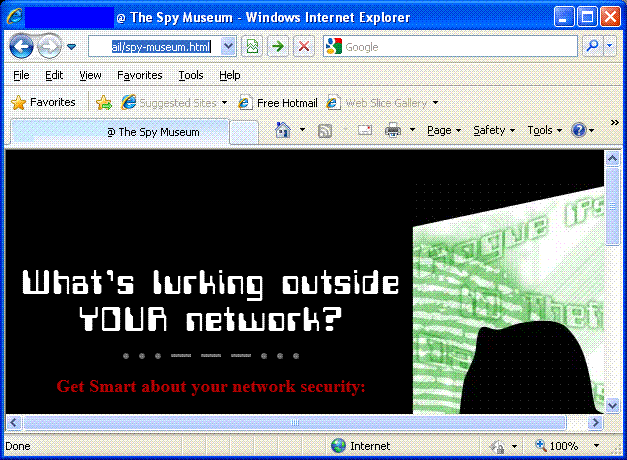
Recently I came across a marketing event promoted by a network integrator which touted industry leading solutions to assist customers in determining "what was lurking outside their network".
In this day and age, it still surprises me when supposedly network savvy folks are still thinking of network security in terms of a traditional perimeter made up of firewalls or IPS devices. The truth of the matter is that the traditional perimeter vanished quite a few years ago.
Only looking at the perimeter gives the end-user a a false sense of protection. It completely fails to recognize the dangers of mobility in today's traditional workplace environment. Users roam. They might bring in viruses or other Trojans INSIDE your network where they are free to roam unencumbered. In the worst of these cases, the perimeter is only secured in one direction, giving outbound traffic unfettered access and completely ignoring that data which might be leaked from hosts inside your network destined to hosts outside your network, as might be the case with Keyloggers or other similar types of rogue programs.
Furthermore, in today's environment composed of virtualized machines, the line gets even blurrier which is why we are starting to see solutions from startup vendors such as Altor Networks. It’s one thing when we are dealing with physical hosts in the traditional sense, but what about the situation when you are dealing with a multitude of virtual machines on the same physical hosts which must talk to each other?
When you take a data-focused approach instead of a technology-focused approach, the problem and its solutions start to make more sense. The perimeter should be viewed as the demarcation between the data and any I/O fabric providing connectivity between that data and some external entity. This is the domain of things like Data Loss Prevention (DLP), Network Access Control (NAC), and Virtual Hypervisor Firewalls in addition to that of traditional security devices.

To deal with the realities of today, we must start to think of network security in terms of Hotels vs. Castles. In the Castle model, we have a big wall around our infrastructure. We might have a moat and some alligators, and perhaps we only lower our drawbridge for very special visitors. This model tends to keep a good majority of the enemies at bay, but it completely ignores that which might already be inside your network (think in terms of the Trojan horse as told in Virgil's epic poem 'The Aeneid').
What is more commonly being employed is that of the Hotel Model. Initially, to gain entrance into the hotel itself, we must check in with the Concierge and get our room key. Once we have our room key, we have limited access to our own room, and perhaps some shared facilities like the pool or the gym. In this model, we are unable to enter into a room in which we do not have access. The key word here is LIMITED access.
An all-inclusive security posture looks at the network from a holistic point of view. The principles of Defense-in-Depth will make evident the failings of the traditional perimeter model. The traditional perimeter is dead. The perimeter is wherever the data is.
Facilitating Firewall Filter Configuration in JUNOS using ‘apply-path’
Undoubtedly, one of the coolest features in JUNOS is the apply-path statement. Using apply-path, an operator can configure a prefix-list which comprises IP prefixes linked to a defined path within JUNOS. This facilitates tasks like configuring firewall filters to allow traffic from configured BGP neighbors, making them highly dynamic.
For example, suppose we have the following configuration:
system {
ntp {
server 192.168.70.10;
server 192.168.72.10;
}
}
protocols {
bgp {
group ibgp {
type internal;
neighbor 192.168.50.100;
neighbor 192.168.50.101;
neighbor 192.168.50.102;
neighbor 192.168.50.103;
neighbor 192.168.50.104;
neighbor 192.168.50.105;
}
}
}
Let's assume we want to restrict BGP and NTP traffic to only those peers with whom we wish to peer with. Without the use of apply-paths, we'd have to configure a prefix-list or add individual source-address statements comprising all of the above addresses and add that to our firewall filter configuration, as in the following:
policy-options {
prefix-list bgp-peers {
192.168.50.100/32;
192.168.50.101/32;
192.168.50.102/32;
192.168.50.103/32;
192.168.50.104/32;
192.168.50.105/32;
}
prefix-list ntp {
192.168.70.10/32;
192.168.72.10/32;
}
}
firewall {
filter re-protect {
term bgp {
from {
prefix-list {
bgp-peers;
}
protocol tcp;
port bgp;
}
then accept;
}
term ntp {
from {
prefix-list {
ntp;
}
protocol udp;
port ntp;
}
then accept;
}
}
}
As you can see, that's a lot of redundant typing especially considering we've already configured these under their respective configuration stanzas within JUNOS. The above example might not seem like a lot, but if you're looking at an ISP edge router it wouldn't be uncommon to see several hundred such BGP neighbor statements. Now multiply that across all of your devices in your network and you will quickly see that prefix-list maintenance can quickly become cumbersome.
Enter the apply-path statement. The idea behind the apply-path statement was to create a method whereby prefix-lists could be created dynamically by simply referencing other portions of the configuration, thus eliminating most of the effort required to maintain a prefix list. The path consists of elements separated by spaces. Each element matches a specific keyword or identifier within the configuration, and you can use wildcards to match more than one identifier. Wildcards must be enclosed in angle brackets, for example, <*>.
As an example, let us take a look at how the above prefix-list definition could be simplified:
policy-options {
prefix-list bgp-peers {
apply-path "protocols bgp group <*> neighbor <*>";
}
prefix-list ntp {
apply-path "system ntp server <*>";
}
}
With the above we've eliminated 8 lines of code and replaced it with 2. The apply-path statement is telling the prefix-list to be generated dynamically by looking at the "protocols bgp group <*> neighbor <*>" and "system ntp server <*>" portions of the configuration.
Although this has simplified the configuration greatly, it comes at the expense of being able to easily identify which addresses are part of a prefix-list. In order to properly determine if the apply-path statement is working correctly and also to identify those addresses which are part of the prefix list, we can use the "show | display inheritence" command, as in the following:
root@jncie-lab# show | display inheritance
prefix-list bgp-peers {
##
## apply-path was expanded to:
## 192.168.50.100/32;
## 192.168.50.101/32;
## 192.168.50.102/32;
## 192.168.50.103/32;
## 192.168.50.104/32;
## 192.168.50.105/32;
##
apply-path "protocols bgp group <*> neighbor <*>";
}
prefix-list ntp {
##
## apply-path was expanded to:
## 192.168.70.10;
## 192.168.72.10;
##
apply-path "system ntp server <*>";
}
In closing, the use of apply-paths in an operational network assists in hardening a network, and can dramatically reduce the operational overhead of maintaining prefix-lists. In addition, it also helps to eliminate configuration errors in which the address added to the prefix list don't match that configured in respective portions within the JUNOS configuration.
Preventing DNS Fragmentation and Large DNS Packet Attacks
Often times, attackers will attempt to perform very rudimentary attacks against DNS resolvers in an attempt to cause a Denial of Service. It is not uncommon to see attackers crafting a DoS attack composed mostly of UDP packets destined to port 53 with invalid payloads containing the ‘more-fragments’ bit set. In some cases, the packets may contain the ‘non-more-fragments’ bit set with packets of specific lengths, typically larger than the average size of a normal DNS packet.
Many flow analysis tools and IDP products have the ability to look for IP fragmentation misuse based on parameters that the operator may set; these tools are invaluable as an early warning system to alert the network administrator that their infrastructure is under attack.
Insofar as being able to mitigate these types of attacks, a few simple approaches can be utilized by a network administrator in order to filter this type of traffic using simple ACLs or firewall filters on routers or other types of equipment capable of filtering at Layers 3 and 4. Normally, is is not typical to see DNS queries which are fragmented, therefore the following Juniper firewall-filter should effectively filter the fragmented packets:
term DNS-Fragments {
from {
destination-prefix-list {
dns-server-prefixes;
}
}
fragment-flags more-fragments;
destination-port 53;
}
then {
count dns-fragments;
log;
discard;
}
}
For packets containing the 'non-more-fragments’ bit set, or which all packets within the attack flows share a common packet size (typically this will be large, on the order of 540 bytes or larger), a network administrator can easily filter those on the router as well. Normally we should not expect to see queries of this large size, so the following could be effectively used to filter these types of attacks as well. In this example we are filtering UDP or TCP packets destined to port 53, with a size of either 540 bytes or 1480:
term DNS-InvalidSize {
from {
destination-prefix-list {
dns-server-prefixes;
}
packet-length [ 540 1480 ];
destination-port 53;
}
then {
count dns-InvalidSize;
log;
discard;
}
}
NOTE: It is more than likely a network administrator would need to adjust the above packet sizes after analysis of the packet size used in the attack vector using whatever flow reporting or network visibility tools are in use, since it is unlikely an attacker would use the exact same packet sizes listed in the example above.
Book Review :: Configuring NetScreen Firewalls
Configuring NetScreen Firewalls
by Rob Cameron
Paperback: 600 pages
Publisher: Syngress
ISBN-13: 978-1932266399
Better off waiting for a Second Edition...
I read a lot of books, and while I don't review all of them, I am often compelled to write a review when a book stands out, either for it's clear leadership and technical distinction in the marketplace, or for it's extreme lack thereof. In this case, I was compelled to write the review based on the latter.
Seeing as this is the only Netscreen book on the market, I had high expectations for it. When one looks at the credentials of the numerous authors, it reads like a veritable list of leaders in the Security industry. As such, I was rather excited when I picked up this book. As I began reading this book, I quickly realized that it was not going to meet my expectations. Clearly this book was rushed to market, another sign that the primary concern of many publishers is not in producing quality, but rather quantity. This book suffers from many of the same problems I see with other books on the market with multiple contributing authors, which is that the voice isn't consistent throughout the book. Some chapters have diagrams, screen shots, or CLI commands outlining various procedural steps, whereas these details are noticeably absent in others.
In addition, this book is littered with many errors throughout, both typographical as well as technical. In some cases, as other reviewers point out, sentences simply stop abruptly mid-sentence. The text often refers to diagrams which don't even exist. There are numerous references to find additional information in other chapters which are non-existent.
With regards to technical content, the authors certainly could have added more detail, especially considering the number of authors who contributed to this text. For example, the chapter on Routing does a good job of telling the reader how to enable BGP, but provides no details on how to actually configure a BGP neighbor. Another example is URL filtering which is discussed in the chapter on Attack Detection and Defense. While the authors do a good job of describing the various modes to support URL filtering (redirect vs. integrated), there is no explanation of how redirection actually takes place and no diagrams to provide for comprehensive understanding of the subject matter.
I can't blame the authors entirely for the many flaws in this book, as any decent technical editor should have been able to spot many of these errors prior to publication. One wonders whether the technical editors even read the book as many of the errors are so blatant that it's inconceivable that so many managed to slip through. I'm disappointed in Syngress for publishing a book with so many errors, and this has definitely led me to believe that Syngress does not want to maintain a leadership position of publishing technical content of the highest magnitude, but rather they are only concerned with being the first to market with a particular product.
I will give this book 2 stars in that it is indeed a noble attempt at covering a wide array of topics, as well as for being the only book in the industry which covers this subject matter. I suggest that the authors should examine the possibility of releasing a second edition which may fix these blatant errors, as well as hiring some decent technical editors.